

Swipe Widget
The Swipe widget lets you compare two basemaps or layers side by side by dragging a divider across the screen.
How to Use the Swipe Widget
-
Open the Swipe panel and select the layers/basemaps you want to compare.
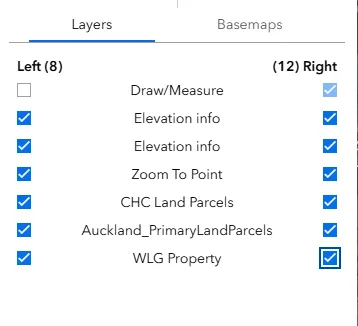
-
Toggle the swipe tool on and drag the handle across the map to reveal what’s on either side of the divider. You can choose if you want to move the slider horizontally or vertically.
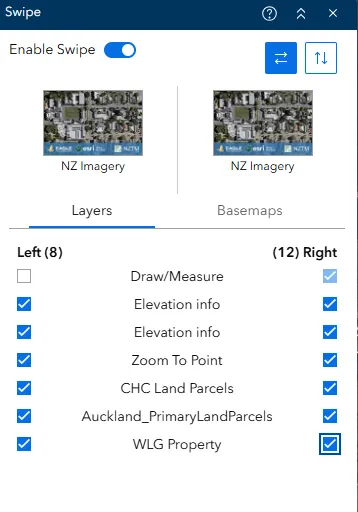
What you can compare
-
Two or more layers within the same map.
-
Two different basemaps from the Basemap group.
Things you can do
-
Turn layers on or off — deactivate layers so they’re excluded from the swipe effect
-
Drag the divider — move it horizontally or vertically across the map to compare at different points.